
MOOVER
Solved the logistical friction of first-time relocations by translating qualitative user insights into a guided, intuitive digital assistant.
OVERVIEW
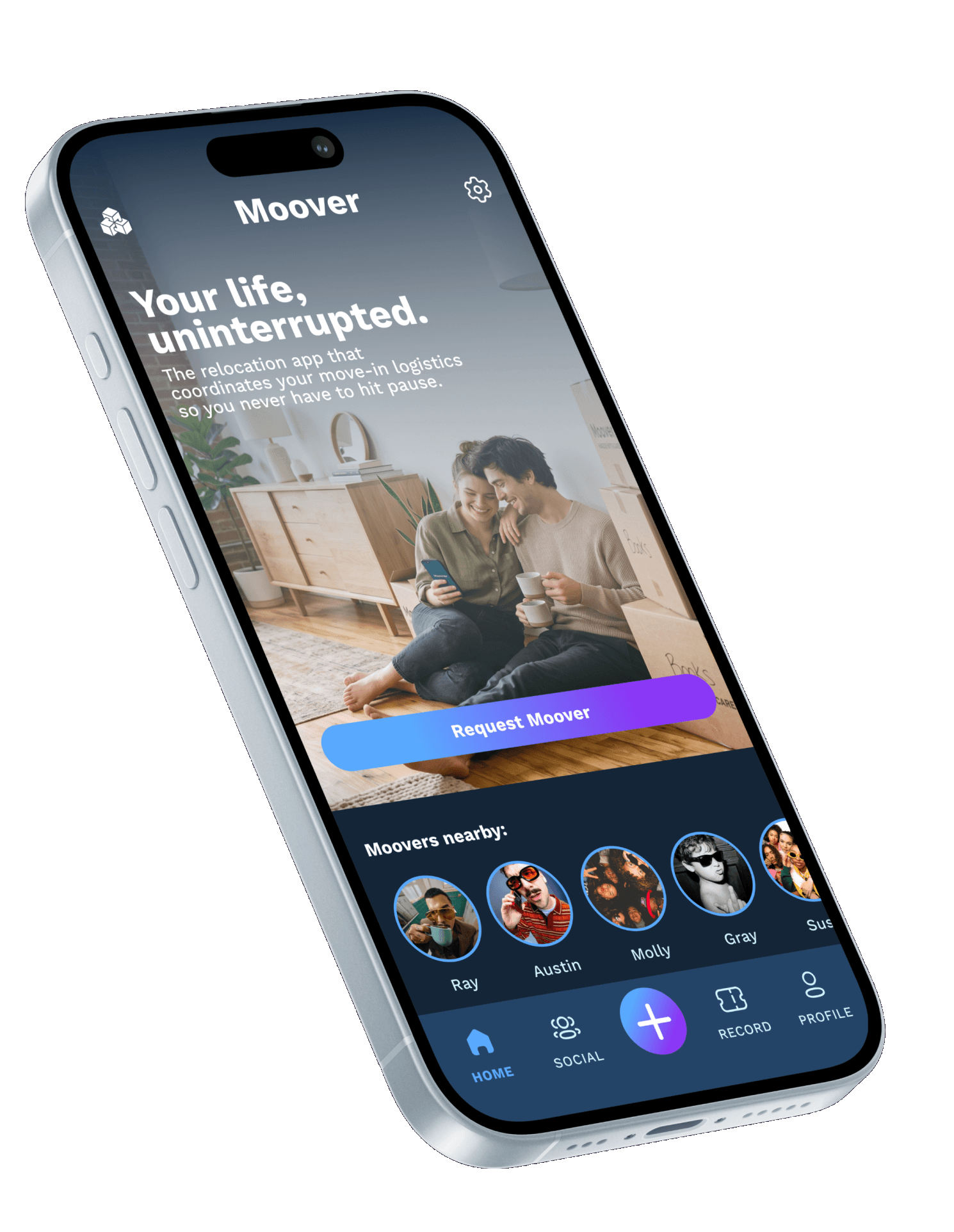
Moover is a web and mobile relocation application designed to help first-time movers plan, organize, and streamline their moving process through intuitive checklists, logistics management, and service booking.
PROBLEM
Moving out for the first time represents a profound psychological and financial shift where personal freedom collides directly with logistical and emotional friction.
SOLUTION
Moover acts as the ultimate bridge between newfound freedom and moving-day friction by consolidating logistics, labor, and budgeting into one seamless, on-demand platform.
PROCESS
Discovery & Synthesis (Qualitative Interviews)
Conducted 1:1 semi-structured deep dives with individuals who relocated within the past 12 months.
Ideation (Strategic Brainstorming)
Mapped user behaviors against the two core systemic friction points—the 100% vehicle dependency gap and the long-term post-relocation isolation wave.
Structural Architecture & Interaction Design
Transitioned from rapid low-fidelity paper wireframes directly into interactive high-fidelity wireflows.
Evaluative Validation (MVP Testing & Iteration)
Subjected the high-fidelity prototype to usability testing sessions with target demographic profiles. Identified friction patterns.
Week 1
Week 2
Week 3
Week 4
Week 5
Week 6
SITEMAP



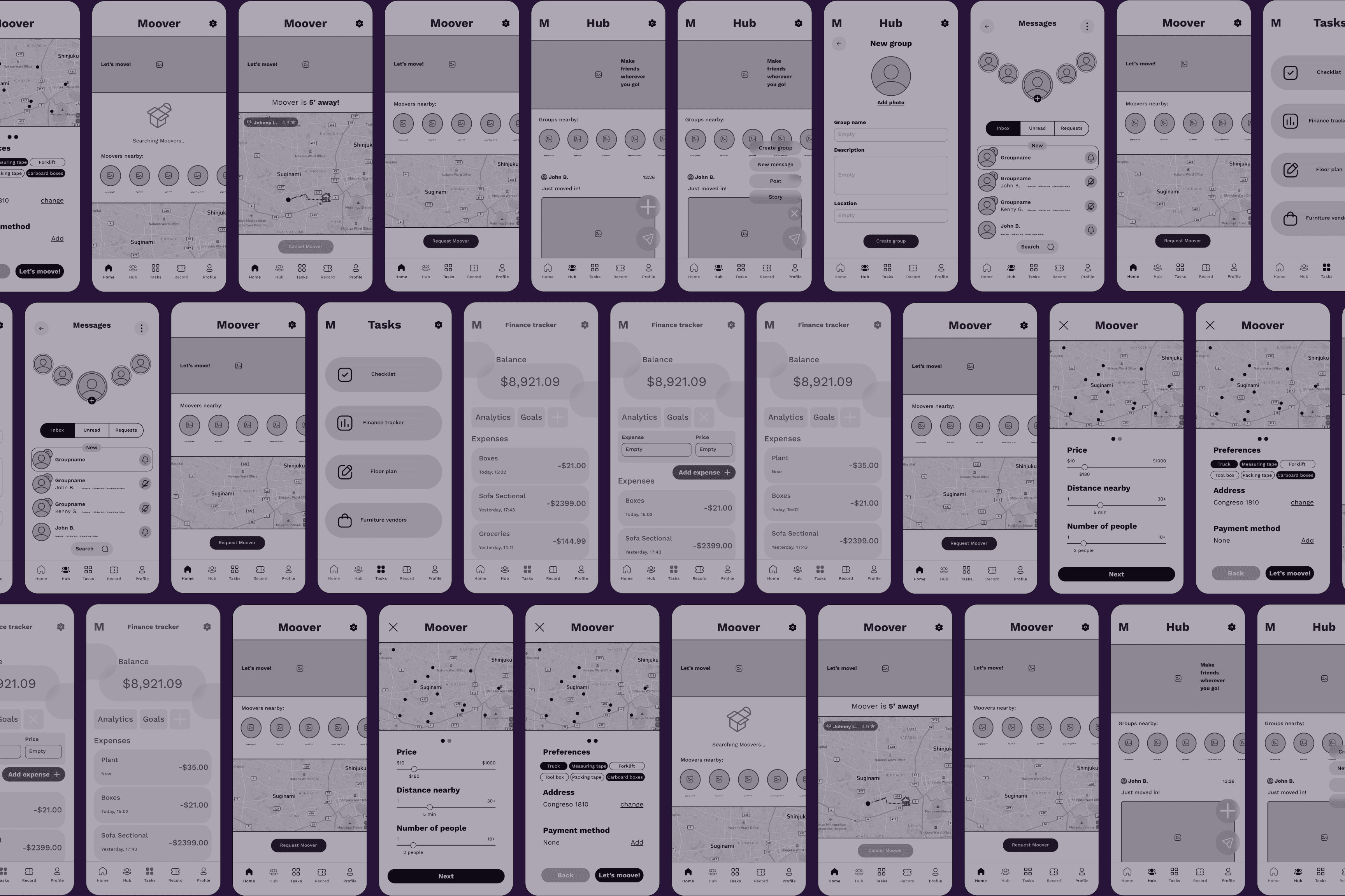
WIREFRAMES
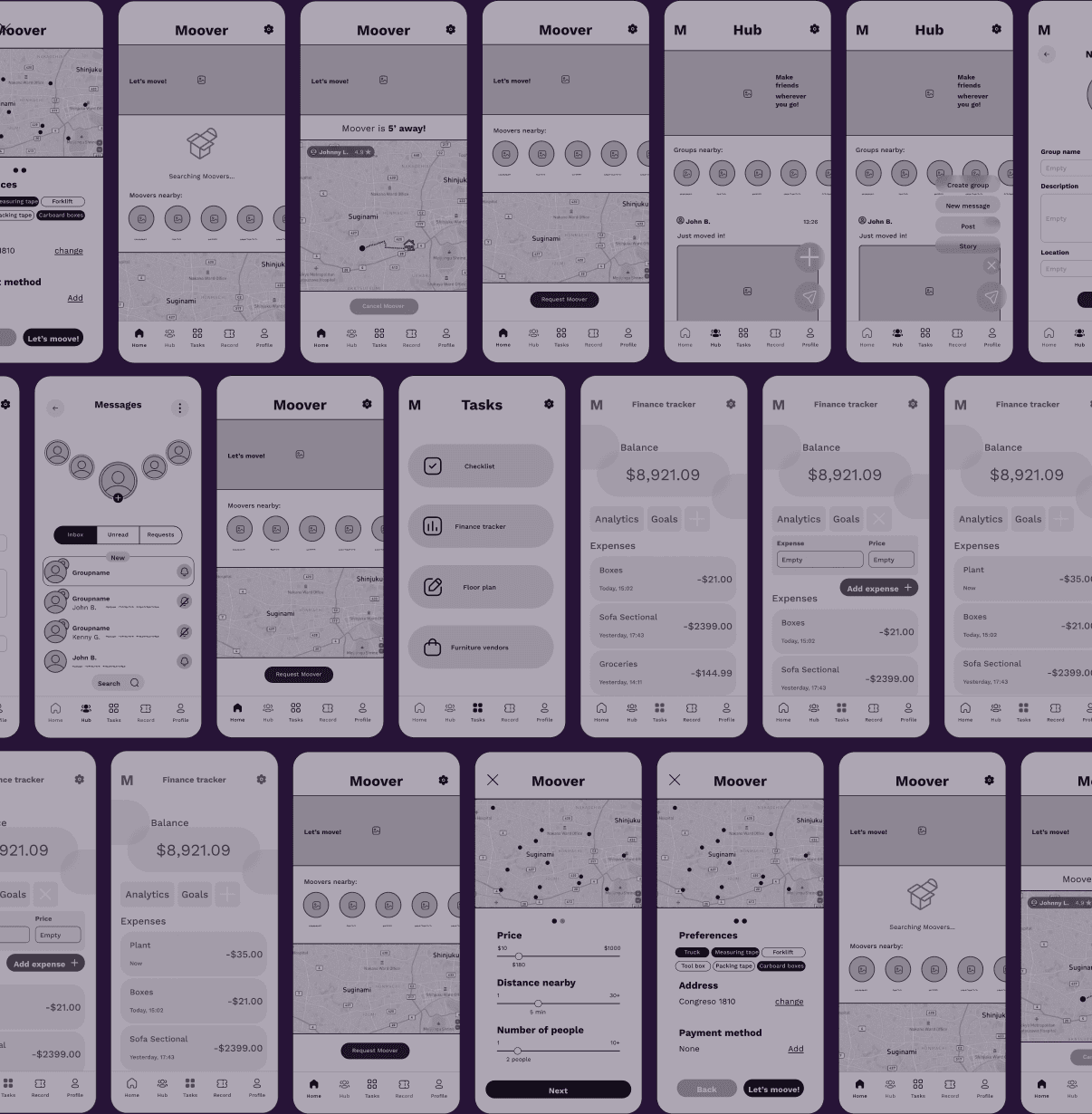
Before applying the visual layer, I focused on layout logic. The wireframes prioritize thumb-friendly zones and gesture-based navigation.
TYPEFACE
Plus Jakarta Sans
Regular
Bold
14
16
20
24
36
48
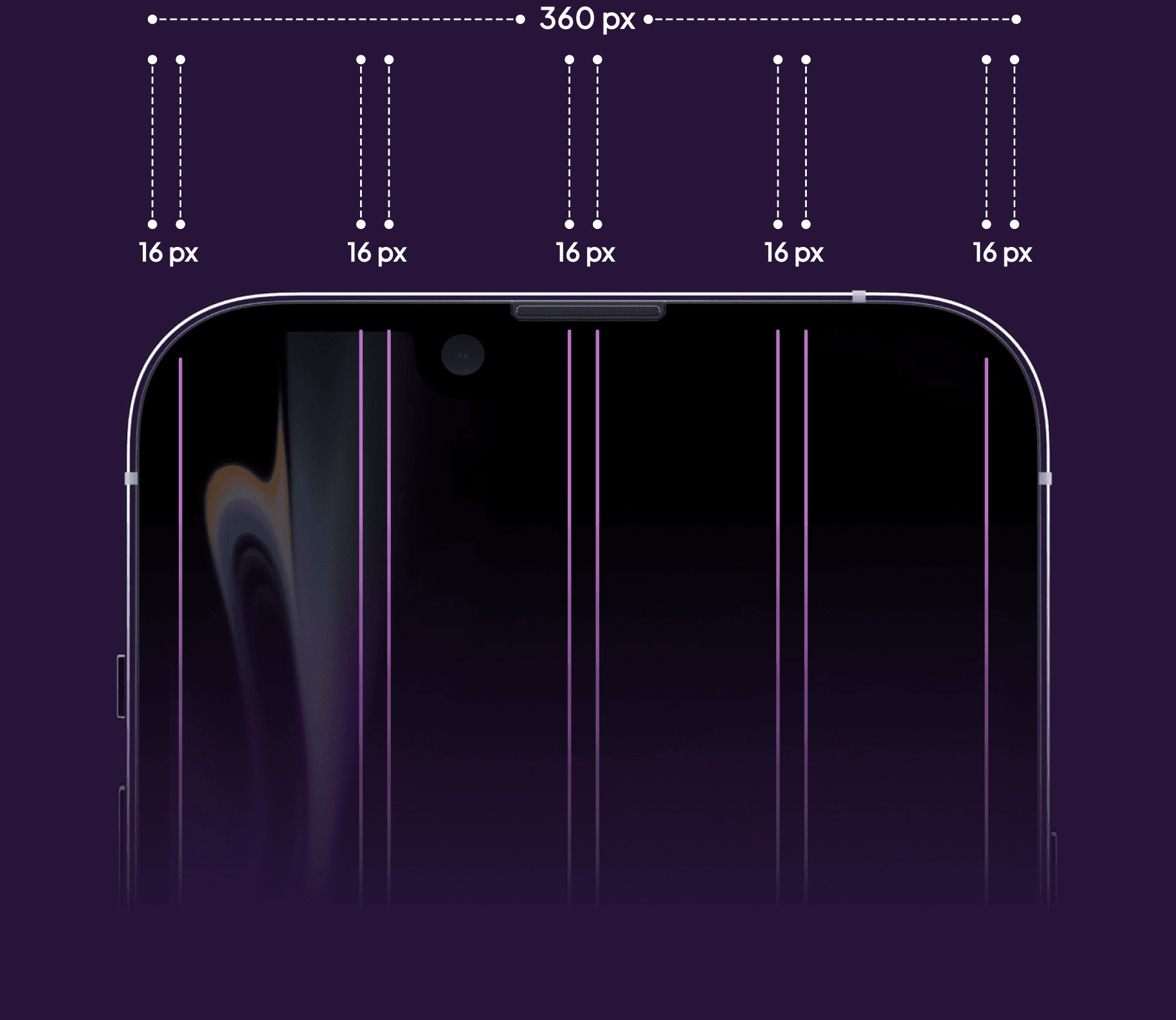
GRID
COLOR PALETTE
The UI utilizes low-saturation cooling tones, as a tactical behavioral intervention to lower user anxiety during high-stress task management.
#261233
#4D2366
#733599
#9947CC
#BF59FF
#182E45
#182E45
#234466
#356699
#4788CC
#59AAFF
#B4D2DA
#546266
#7E9399
#B3D1D9
#D3F6FF
#E8EDF1
#E8EDF1
#C4C9CC
#939699
#626466
“Ultimately, the operational strategy chosen on day one determines the entire trajectory; a flawed initial setup establishes a baseline of daily friction that permanently breaks user routines.”
FINAL DESIGN
MINIMALISM
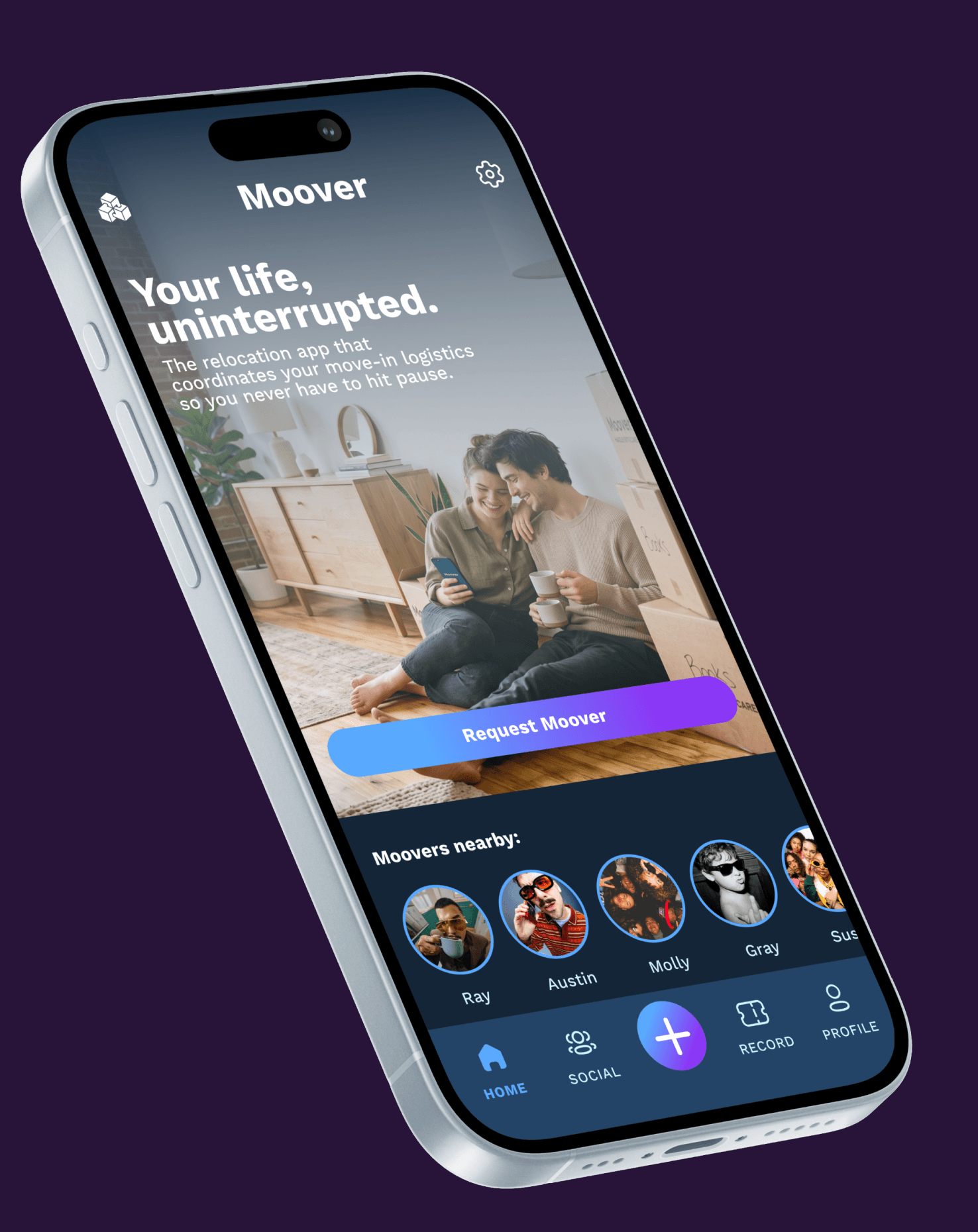
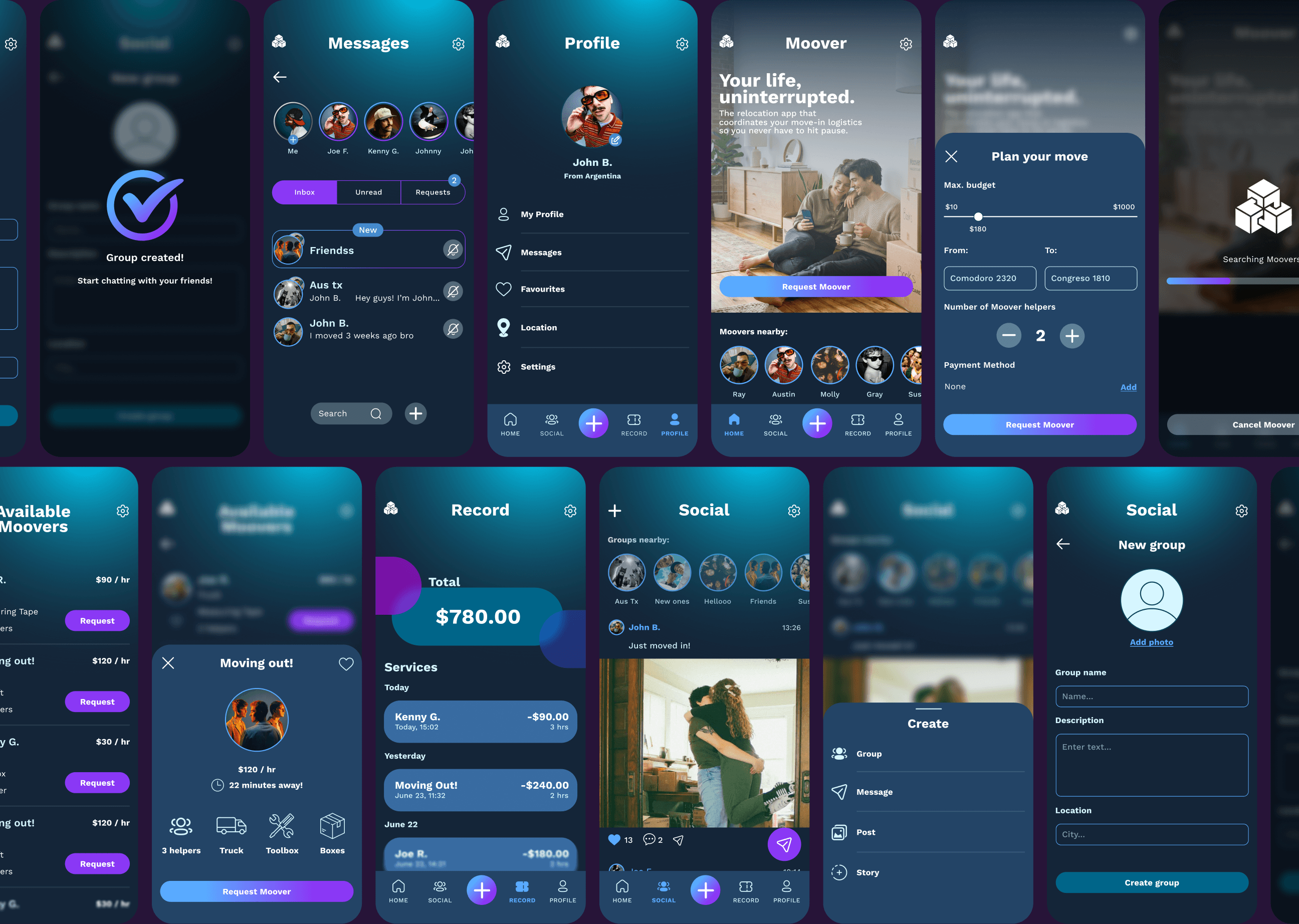
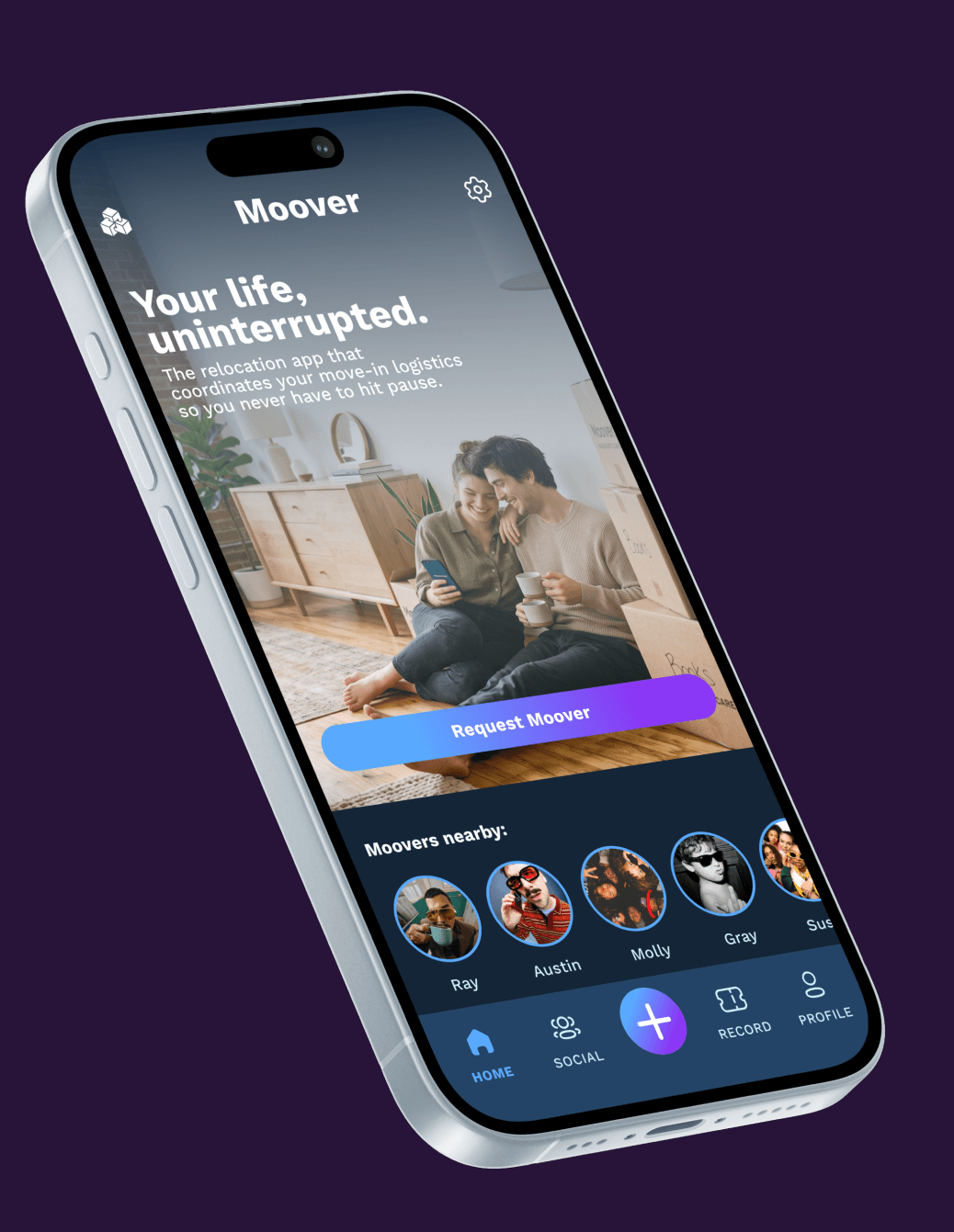
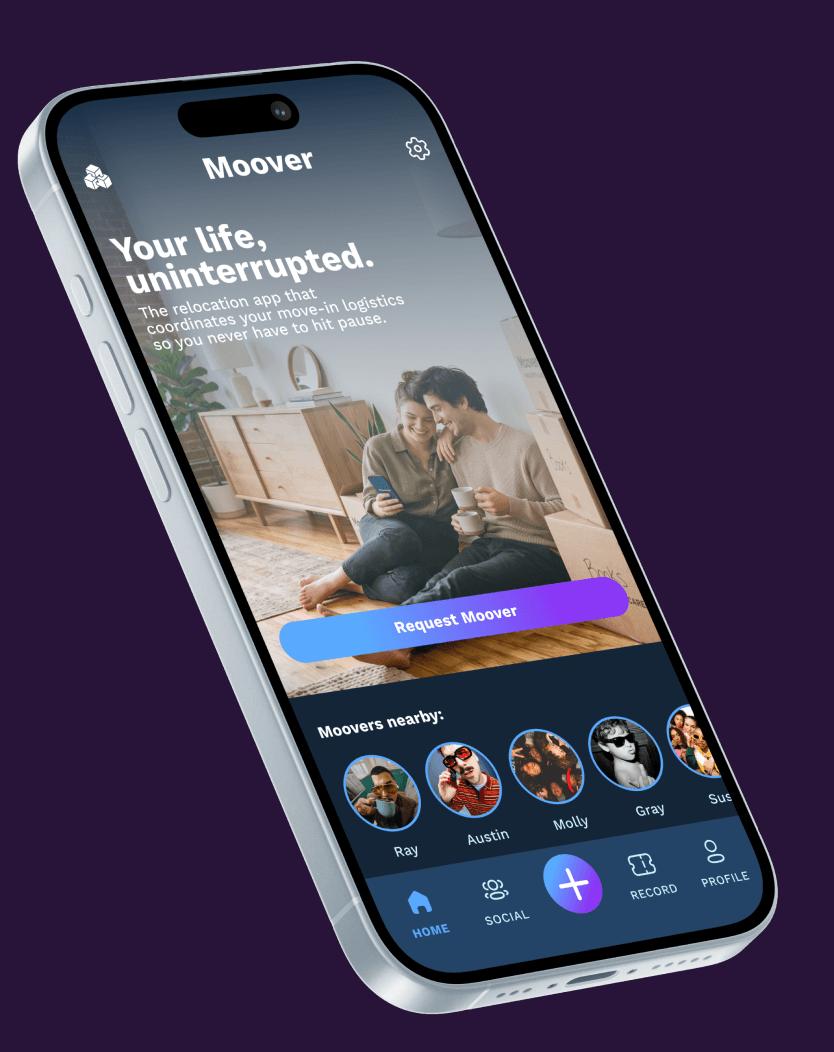
When users are operating under situational stress, complex interfaces trigger choice paralysis.
RECORD
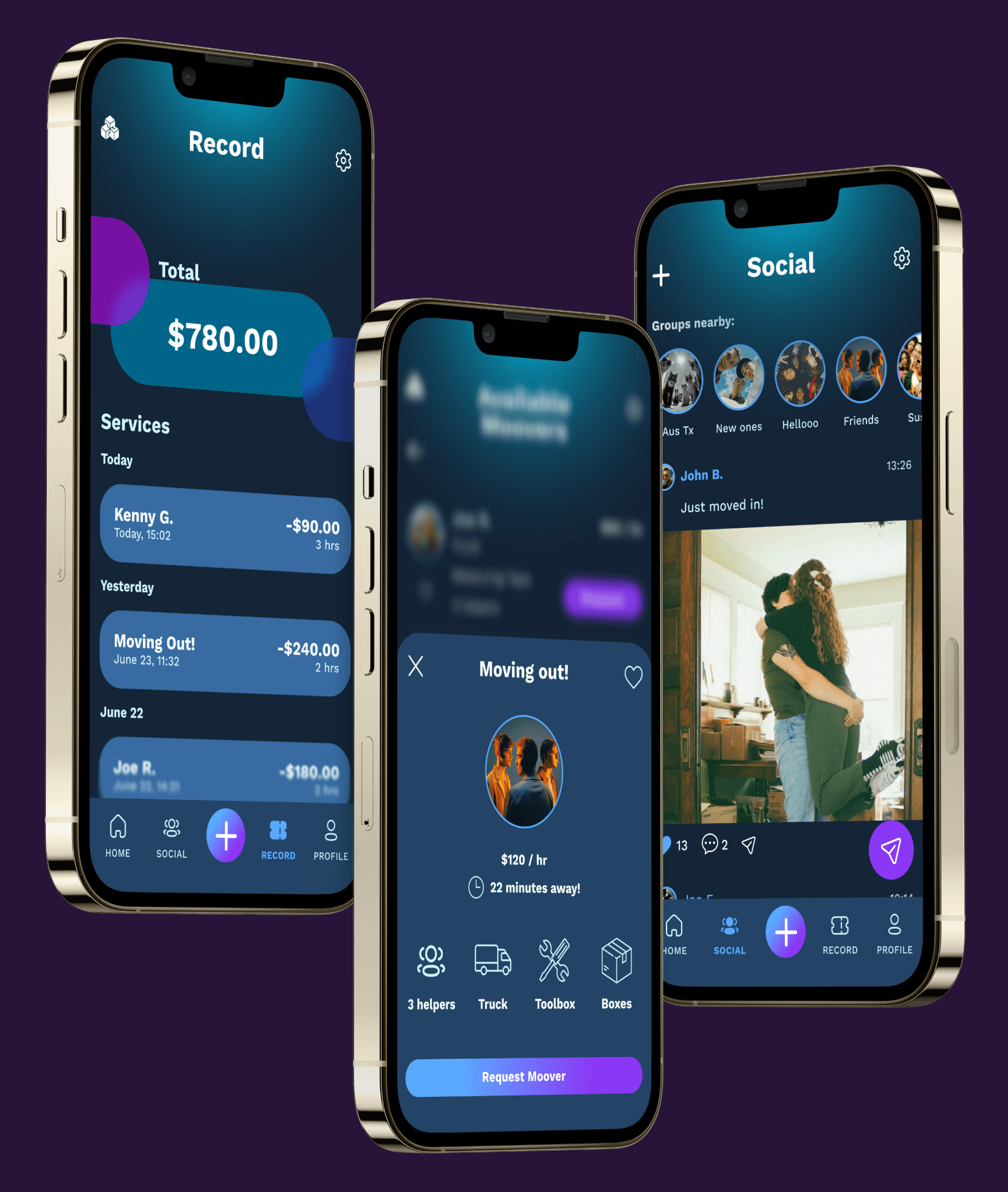
Keep track of every expense and every service you ever had.
SOCIAL
Make friends wherever you go.
ON-DEMAND
Choose your favorite service option,
MESSAGES
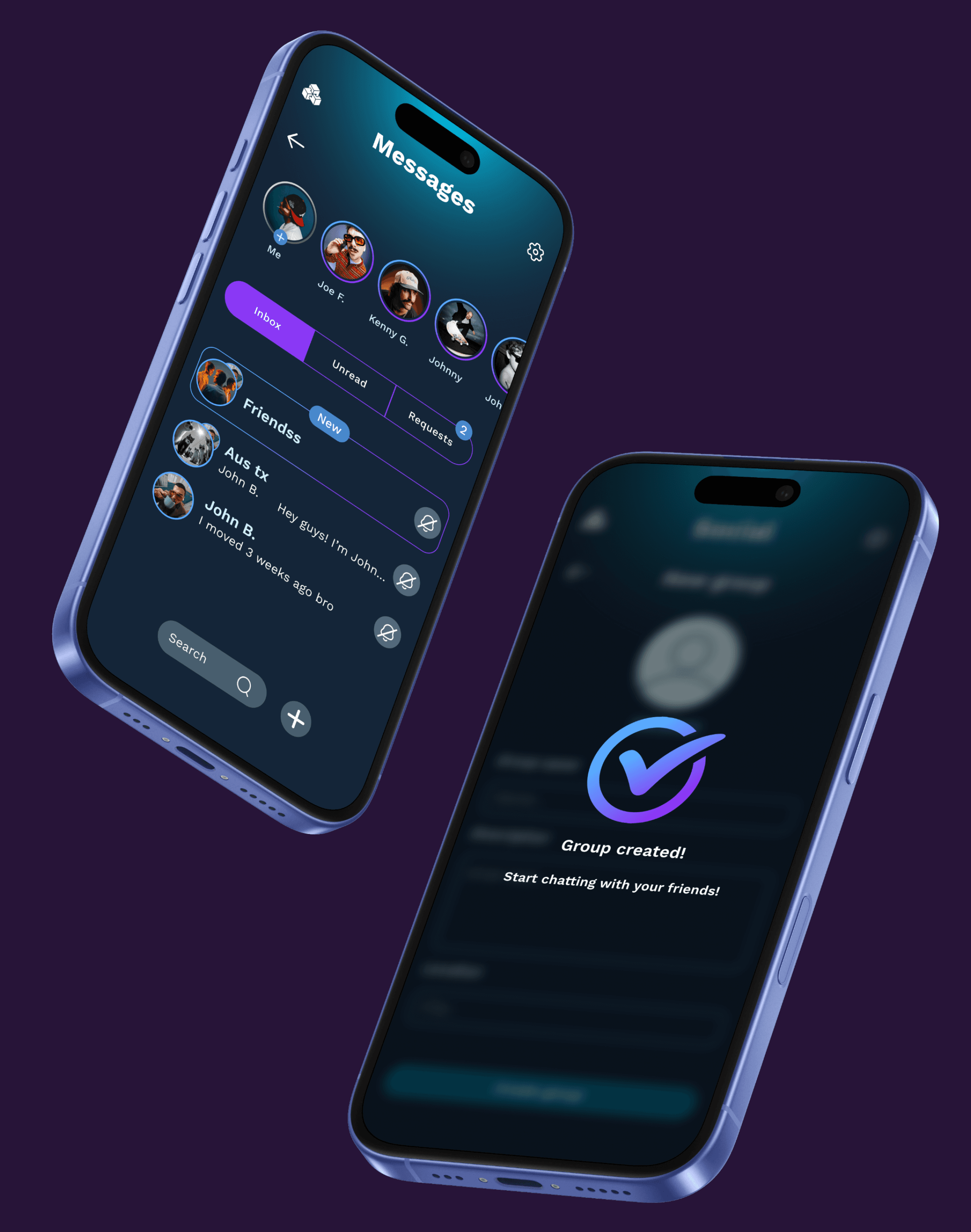
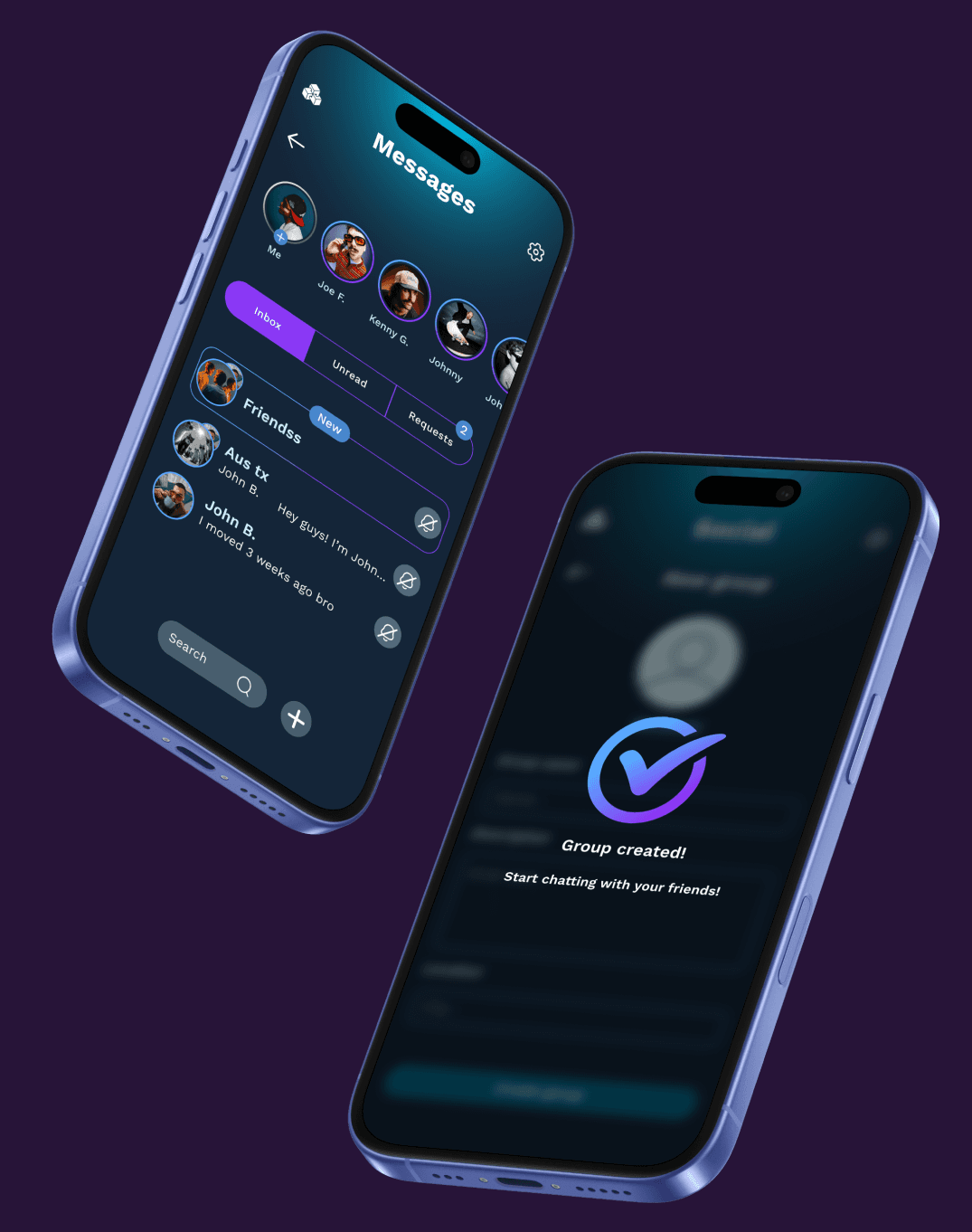
Create social groups and keep in touch with people from your same area.
MOOVER
Solved the logistical friction of first-time relocations by translating qualitative user insights into a guided, intuitive digital assistant.
ROLE: PRODUCT DESIGNER
TIMELINE: 6 WEEKS
OVERVIEW
Moover is a web and mobile relocation application designed to help first-time movers plan, organize, and streamline their moving process through intuitive checklists, logistics management, and service booking.
PROBLEM
Moving out for the first time represents a profound psychological and financial shift where personal freedom collides directly with logistical and emotional friction.
SOLUTION
Moover acts as the ultimate bridge between newfound freedom and moving-day friction by consolidating logistics, labor, and budgeting into one seamless, on-demand platform.
PROCESS
Discovery & Synthesis (Qualitative Interviews)
Conducted 1:1 semi-structured deep dives with individuals who relocated within the past 12 months.
Ideation (Strategic Brainstorming)
Mapped user behaviors against the two core systemic friction points—the 100% vehicle dependency gap and the long-term post-relocation isolation wave.
Structural Architecture & Interaction Design
Transitioned from rapid low-fidelity paper wireframes directly into interactive high-fidelity wireflows.
Evaluative Validation (MVP Testing & Iteration)
Subjected the high-fidelity prototype to usability testing sessions with target demographic profiles. Identified friction patterns.
Week 1
Week 2
Week 3
Week 4
Week 5
Week 6
SITEMAP
WIREFRAMES
Before applying the visual layer, I focused on layout logic. The wireframes prioritize thumb-friendly zones and gesture-based navigation.
TYPEFACE
Plus Jakarta Sans
Regular
Bold
14
16
20
24
36
48
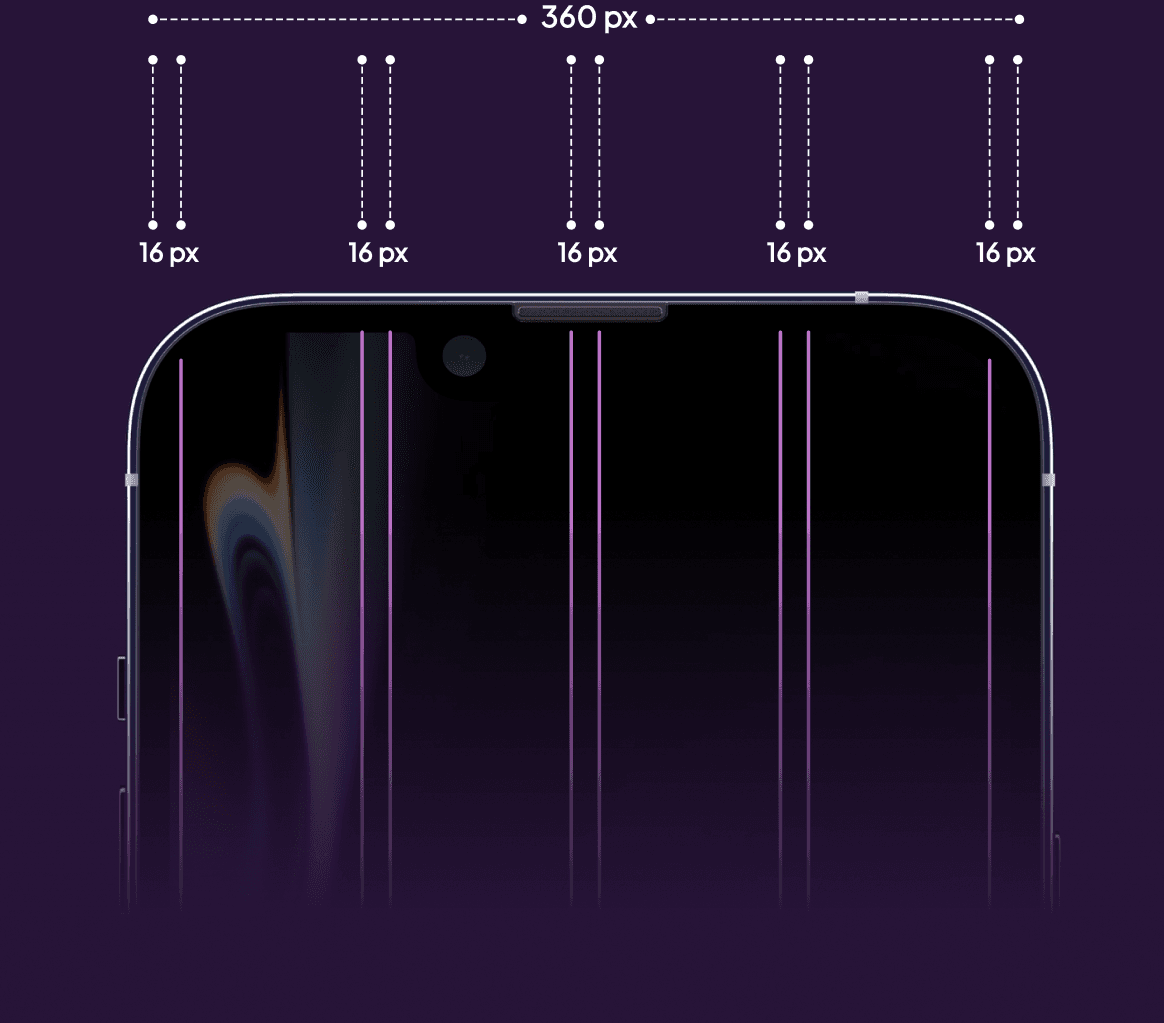
GRID
COLOR PALETTE
The UI utilizes low-saturation cooling tones, as a tactical behavioral intervention to lower user anxiety during high-stress task management.
#261233
#4D2366
#733599
#9947CC
#BF59FF
#182E45
#182E45
#234466
#356699
#4788CC
#59AAFF
#B4D2DA
#546266
#7E9399
#B3D1D9
#D3F6FF
#E8EDF1
#E8EDF1
#C4C9CC
#939699
#626466
“Ultimately, the operational strategy chosen on day one determines the entire trajectory; a flawed initial setup establishes a baseline of daily friction that permanently breaks user routines.”
FINAL DESIGN

MINIMALISM
When users are operating under situational stress, complex interfaces trigger choice paralysis.
RECORD
Keep track of every expense and every service you ever had.
SOCIAL
Make friends wherever you go.
ON-DEMAND
Choose your favorite service option,
MESSAGES
Create social groups and keep in touch with people from your same area.
